monAI - AI Art Generator
- 4.4
- Rating
- 100.00K
- Installs
- Free
- Price
 Analysis by App-foxy
I spent time with monAI as a quick way to turn ideas and photos into AI-generated artwork, and my first impression was that it aims to remove most of the technical barriers between a thought and a finished image. You do not need drawing experience to begin. You describe what you want, add a photo when that makes sense, and let the app handle the visual construction. That makes it appealing for casual experimentation, mood boards, profile images, concept sketches, and small creative projects.
What matters, though, is how well it fits into a repeatable routine rather than how impressive a single result looks. In my experience, the app is most useful when I treat each prompt as a starting point instead of expecting a perfect image immediately. A little patience with wording, image selection, and revisions makes a noticeable difference. If you want complete control over every brushstroke, this is not a replacement for a traditional drawing app. If you want a low-friction way to explore visual ideas, it is much easier to recommend.
How the everyday workflow feels
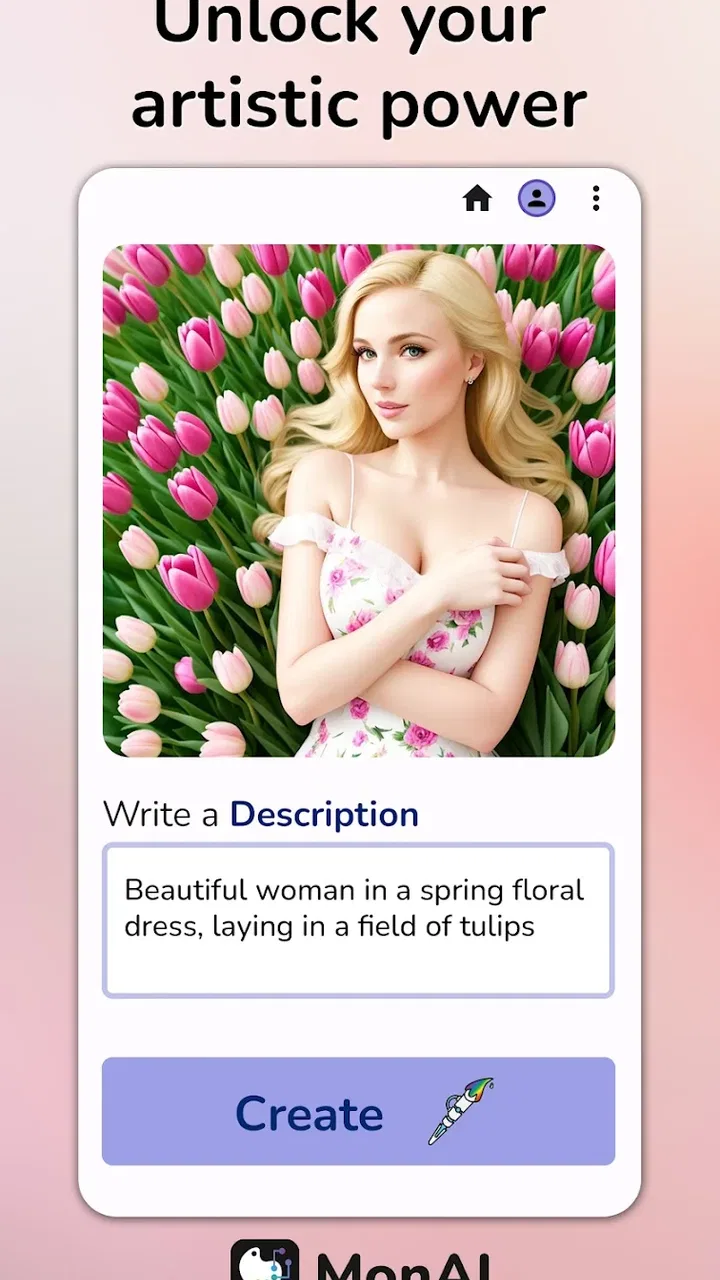
The basic process is straightforward. I begin with a short description of the subject, then add the visual details that affect the result most: the setting, mood, lighting, color direction, and general style. A vague request can produce something attractive but unfocused, while a carefully ordered prompt gives the generator a clearer job. I find it helpful to describe the main subject first and leave decorative details until later.
You May Also Like

 Blood Strike: 2.5 Anniversary
Blood Strike’s Loadouts Turn Every Drop Into a Tactical Gamble
A close look at Blood Strike’s custom loadouts: how fast access to signature weapons reshapes its battle royale rhythm, rewards preparation, and narrows the gap between fights.

 Pandora - Music & Podcasts
Pandora’s Music Is Easy to Start, but Harder to Recover
Pandora’s strength is its low-effort path from a seed to a station. Its weak spot is how much confidence it asks you to place in connection, setup, and quiet recovery.

 8 Ball Pool
8 Ball Pool Is Built on Rivalries, Rematches, and Routine
A close look at the rivalries, rematches, shared routines, and unanswered safety questions that turn a quick pool match into a persistent mobile community.

 Samsung Music
Samsung Music’s Quiet Strength Is Playing What You Already Own
Its reach comes less from spectacle than from dependable access to a personal library. That simplicity is both the app’s strongest retention engine and its ceiling.

 AccuWeather: Weather Radar
AccuWeather Review: A Quick, Clear Forecast for Everyday Decisions
For everyday plans, the best forecast is the one you can understand quickly. AccuWeather makes rain timing, radar, and local conditions easy to act on, with a few trade-offs.

 Hill Climb Racing
Why Hill Climb Racing Still Turns Crashes Into One More Run
A tiny car, a bumpy hill and one more upgrade: Hill Climb Racing keeps resurfacing because its simple chaos makes every near-miss feel personal.
More From Our News Desk



For example, instead of asking for a simple portrait, I would describe a person, their surroundings, the atmosphere, and the intended visual treatment. This does not guarantee a particular composition, but it gives the app more useful guidance. I also avoid stuffing every possible idea into one request. When a prompt tries to combine too many unrelated subjects, the result can become visually confused, and correcting it may take longer than starting again with a simpler concept.
Photo-based creation is useful when I need the output to keep some connection to an existing image. A personal photo can provide a starting point for a stylized version, while a reference image can help establish a general visual direction. I would still review the result carefully rather than assuming the app will preserve every important detail. AI transformations can change facial features, small objects, text, proportions, or background elements, so this workflow is better for creative reinterpretation than for exact editing.
That distinction is important for everyday use. If I wanted a playful image for a group chat, a fantasy version of a travel photo, or a visual idea for a short story, monAI would be a comfortable choice. If I needed a precise product mockup with readable packaging, a faithful architectural alteration, or professional retouching where identity must remain exact, I would use a conventional editor or a more specialized creative tool instead.
The app is free to install, with optional purchases ranging from $2.99 to $29.99 per item. That makes it easy to test the core experience before deciding whether it deserves a place in your regular creative routine. I would not judge it from one unusual generation. The better test is whether it produces enough useful variations for the kind of work you actually do.
Small prompt habits that improve results
One habit that helped me was separating the prompt into visual priorities. I first state what must appear, then explain where it is, and only afterward add atmosphere or style. This reduces the chance that a dramatic style request overwhelms the actual subject. I also use concrete visual language instead of abstract instructions. “Soft morning light through a window” is more useful than simply saying “make it beautiful.”
Another practical habit is changing only one major idea between attempts. If I alter the subject, composition, color palette, and style at the same time, I cannot tell what improved the image. By keeping most of the wording stable and changing one element, I learn which descriptions monAI responds to best. This turns random experimentation into a simple comparison process.
When a result is almost right, I resist adding a long list of corrections. A crowded correction prompt can create new problems. I would rather simplify the request, restate the main subject, and remove distracting details. This is especially helpful when the output has the right mood but the wrong emphasis. The goal is not to describe every pixel; it is to give the generator a clean hierarchy of ideas.
Settings, repeatable shortcuts, and practical control
The most useful settings are the ones that affect how much control I want over the starting material and the final visual direction. Before generating, I consider whether I am working from text alone or from a photo. Text-only creation gives more freedom but also more unpredictability. Photo-based creation gives the image a stronger anchor, although it may introduce unwanted changes to details I expected to remain stable.
I also pay attention to the difference between a style choice and a subject choice. A style can make the same concept feel like an illustration, a poster, a dreamlike scene, or something more polished. However, style should support the subject rather than replace it. If the visual treatment is too dominant, the output may look attractive while failing to communicate the original idea.
The best control comes from building a repeatable starting routine, not from endlessly rewriting prompts. I keep a mental template: subject, environment, lighting, mood, and finish. I do not treat that order as a rigid formula, but it helps me notice what is missing. For a photo transformation, I add the intended relationship to the source image, such as preserving the pose or using the photo only as inspiration.
Experienced users should also decide in advance what counts as a successful result. For a personal wallpaper, atmosphere may matter more than exact anatomy. For a social avatar, the face and silhouette matter more than background detail. For a design concept, composition and color relationships may be enough even if tiny elements are imperfect. Defining that priority prevents me from rejecting useful images for the wrong reason.
Because the app is aimed at quick creation, it works best when I make decisions before opening it. I choose the purpose, gather a suitable photo if needed, and think about the one visual feature that must stand out. This avoids spending time generating attractive images that do not solve the original problem. The workflow becomes faster when the creative decision happens first and the app is used for exploration afterward.
There is also a useful trade-off between speed and consistency. A single prompt can give me a surprising result quickly, but repeated projects need a stable vocabulary. Reusing the same descriptions for mood, color, and composition can make a series feel more connected. I would not expect perfect continuity between separate generations, yet a consistent prompt structure gives the collection a more deliberate identity.
A realistic use case: preparing a small visual set
Imagine I am preparing a few images for a personal reading journal. I might start with a photo of a desk, use it as a visual anchor, and ask for a calm illustrated interpretation with a restrained palette. Rather than trying to create the entire journal identity in one attempt, I would first find a look that suits the subject. Then I would use similar wording for other pages, changing only the central object or scene.
This workflow is more reliable than asking for a complete brand package. monAI can help me explore the visual direction, but I would finish the layout, typography, and exact spacing in another design tool. That division of labor is one of the app’s strengths: it supplies ideas and imagery quickly, while a conventional editor handles the precise assembly work.
The same approach works for a birthday invitation concept, a classroom project, or a personal travel collage. I can use the generator to test several moods before committing to a design. The important step is to save or organize the useful outputs outside the generation process, because an attractive image is only valuable if I can find it again and use it where it belongs.
Where the faster patterns help, and where they stop
For quick experiments, I use short prompts and make broad decisions. This is ideal when I want several directions rather than one finished asset. I might generate a few interpretations of the same idea, compare the overall mood, and then refine the strongest direction. The speed of this loop is more valuable than trying to perfect the first request.
For a more focused result, I use a staged workflow. First I establish the subject and composition. Next I decide whether the style feels appropriate. Finally I make small wording changes to improve atmosphere or emphasis. This staged method is slower than casual prompting, but it prevents me from confusing a style problem with a composition problem.
Photo input can also make the process faster when the pose or general layout already works. Instead of describing every part of a scene, I let the image provide the structure and use text to guide the transformation. The trade-off is that the source photo becomes part of the creative constraint. If the original lighting, perspective, or background is unsuitable, the generator may struggle to produce the intended result.
I would skip this app if my main requirement were dependable text rendering inside images. AI image tools commonly struggle with lettering, and monAI is better suited to visual atmosphere than to exact words on signs, labels, posters, or invitations. I would create the artwork here and add the final text separately. That extra step is not difficult, but it matters if the image is meant for public use.
I would also choose another option for detailed manual illustration. A drawing app gives me direct control over line weight, layers, selections, and corrections. monAI is faster for discovering a look, but it does not offer the same feeling of ownership over each mark. The choice depends on whether I value surprise and speed or precision and editability.
Compared with ordinary photo filters, monAI goes further because it can reinterpret the subject instead of merely adjusting color, contrast, or sharpness. Compared with a traditional design app, it is quicker at producing visual starting points but weaker at exact layout control. Compared with a manual art workflow, it lowers the entry barrier while giving me less predictable authorship. Those differences make it complementary to other tools rather than a universal replacement.
Limits that become clearer with serious use
The biggest limitation is variability. A prompt can produce an image that feels polished but misses an important instruction. This is manageable for inspiration, but frustrating when the result must match a specific brief. I have to judge each generation on its actual usefulness, not on visual attractiveness alone.
Another limitation is the gap between a concept and a finished deliverable. The app can help me discover colors, subjects, and moods, but I may still need another tool for cropping, typography, precise retouching, or preparing a consistent set. Users expecting an all-in-one production environment should keep that extra work in mind.
There is also a learning curve, even though the interface is designed to feel approachable. The challenge is not learning complicated buttons; it is learning how to communicate visual priorities. Beginners may get impressive images quickly, then become disappointed when later requests do not behave consistently. A repeatable prompt structure and realistic expectations solve much of that frustration.
The content rating is Teen, so I would consider that when deciding whether the app is suitable for a younger user or a shared device. The developer is Tesseract Mobile LLC, and the app runs on Android versions beginning with 7.0. Its current release is 1.0.969-release, which is useful context when checking compatibility before installing on an older phone.
Its audience appears broad: casual creators, students, hobbyists, social media users, and anyone who wants to explore visual ideas without learning illustration software first. The app has reached over 100 thousand installs, with a 4.4 average from around 4 thousand ratings and roughly 1.2 thousand written reviews. Those figures suggest a meaningful user base, but they do not replace testing it against your own preferred subjects and workflow.
My verdict after building a practical routine
monAI works best when I use it as an idea accelerator rather than a precision studio. It makes the first step of visual creation feel approachable, and the combination of text prompts and photo-based input gives me two useful ways to begin. The free entry point is another reason I would suggest trying it before paying for a more elaborate creative service.
I especially like it for personal projects where the goal is to find a mood, explore several interpretations, or create an image that feels distinctive without spending a long time drawing. It can also be useful before opening a conventional editor: I can discover a direction here, then handle the final crop, text, layout, or cleanup elsewhere.
I would not recommend relying on it alone for exact commercial artwork, faithful photo correction, complex typography, or detailed manual illustration. Those jobs benefit from tools built around control and repeatability. The in-app purchases, priced from $2.99 to $29.99 per item, are worth considering only after I know that the generation style and workflow suit my needs.
My practical advice is to begin with a clear purpose, use one strong subject, and change one major prompt idea at a time. Try text-only creation when you want freedom, and use a photo when composition or personal context matters more. Keep the strongest results for comparison, and finish precise design work in another app. With that routine, monAI becomes more than a novelty: it becomes a convenient sketchbook for visual possibilities.
For me, that is the right way to judge it. It does not remove every creative limitation, and it cannot guarantee that an attractive image will be the correct image. But it makes experimentation fast, approachable, and enjoyable. If you want to turn rough ideas or photos into imaginative artwork and are comfortable refining the results, I think it is worth exploring.
FAQs for monAI - AI Art Generator
01What is monAI - AI Art Generator, and how does it work?
monAI - AI Art Generator is an image-creation app that uses artificial intelligence to turn written prompts into digital artwork. After entering a description, you can usually choose an artistic style or visual direction and let the app generate one or more results. The quality depends heavily on how specific and descriptive your prompt is, and results may vary between attempts.
02Is monAI - AI Art Generator free to download and use?
The app may be available to download without an upfront charge, but some features can be limited by credits, advertisements, subscriptions, or in-app purchases. Before generating many images, check the current pricing and subscription terms shown in the app store and inside the application. Also confirm whether unused credits expire and whether premium tools are required for high-resolution exports.
03What kind of images can I create with monAI?
You can use monAI to explore many types of AI-generated artwork, including portraits, fantasy scenes, landscapes, illustrations, character concepts, wallpapers, and stylized designs. The final image depends on your prompt, selected settings, and the model available in the app. For more consistent results, describe the subject, composition, lighting, colors, mood, and preferred artistic style clearly.
04Can I use images created with monAI for commercial projects?
Commercial usage depends on monAI’s current license, subscription level, and the terms that apply to generated content. Do not assume that every image is automatically safe for advertising, merchandise, client work, or monetized social media. Review the app’s user agreement and copyright guidance before using an image commercially, especially when your prompt includes recognizable people, brands, copyrighted characters, or protected artwork styles.
05Does monAI protect my prompts, photos, and generated images?
Before using the app, review its privacy policy to understand how prompts, uploaded photos, account information, and generated images are collected, stored, and processed. AI services may send content to remote servers to create results, so avoid uploading confidential documents, private photographs, or sensitive personal information unless you are comfortable with the stated practices. Check permissions and disable unnecessary access where possible.
Pros
- Creates varied AI artwork from simple text prompts.
- Offers multiple visual styles for creative experimentation.
- Useful for generating wallpapers
- avatars
- and social media images.
- The prompt-based workflow is easy for beginners to understand.
- Can provide quick inspiration when starting a visual project.
Cons
- Results may differ noticeably from the details described in the prompt.
- Some advanced features or generations may require in-app purchases.
- Image quality and generation speed can vary with server demand.
- AI-generated text and fine details often appear distorted.
- Regular use may require a stable internet connection and account access.

monAI - AI Art Generator
Gallery